The cheat code for your school inbox.
Parents can pay. Students stay in control.
Get a text when important school emails need attention - financial aid, billing, registration, housing, and academic notices.
Enter the student's school email. No password needed.
Free for 30 days, then $11.99/mo or $99/yr. Cancel anytime.
Read-only Gmail and Microsoft 365 access. No stored email bodies. Disconnect anytime.
CASA Tier 2 Verified - ID: 7155f26d - valid through Jan. 8, 2027
Parents & guardians
Pay for a plan and invite your student. You can see whether protection is active, but not their email or alerts.
For parents →Students
Connect your own school inbox and get texts for the emails that matter. Your inbox stays private.
For students →Programs & coordinators
Sponsor access for a cohort and track setup status without seeing student email content.
For programs →Schools already send the warning. Students just miss it.
From: Financial Aid Office
Action required: Outstanding document needed
Your financial aid package is on hold pending a verification document. Please submit the required form by Friday or your aid will be delayed.
Sent 11 days ago. Unread.
Financial aid deadlines, registration holds, bursar balances, housing assignments, academic notices - schools send them to your inbox. They get buried.
By the time you find it, the deadline has passed. The hold is already on your account. The aid is already delayed.
When it matters, it becomes a text.
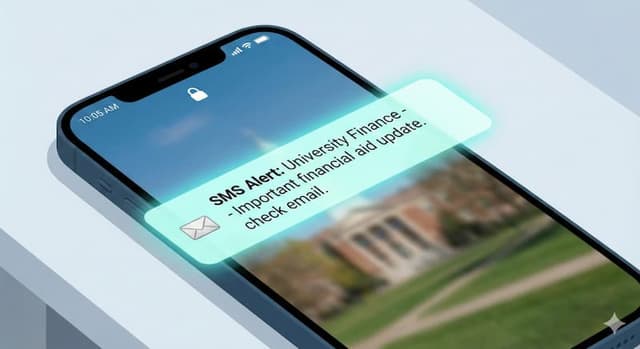
Email Cheat Code scans for time-sensitive institutional messages and sends you a short SMS summary so you know to go check your inbox.
Private by design
- ✓The student connects their own Gmail or Microsoft 365 account.
- ✓Access is strictly read-only.
- ✓Email bodies are processed transiently and not stored.
- ✓Parents and programs see setup status only.
- ✓Students can disconnect anytime.
Start by checking the school email
We've mapped thousands of U.S. colleges and universities. Enter the student's school email and we'll check whether the school uses Google Workspace, Microsoft 365, or another provider before you sign up.
Google schools
Usually ready right away.
Microsoft 365 schools
May require one-time IT approval.
Unknown providers
May need review.
Enter the student's school email. No password needed.
Or browse published school guides to see if your school has a full guide.
Common questions
What kinds of emails will you alert me about?
The stuff that actually matters - financial aid deadlines, registration holds, bursar payment reminders, housing deadlines, academic notifications. Newsletters, club emails, and campus-wide blasts are filtered out.
How does this actually work?
After you connect your school email, we check it regularly for the kinds of messages students actually miss - things like financial aid, billing, registration, housing, and academic notices. When something important comes in, we send you a text with a short summary and point you back to the original message in your inbox.
The system is tuned for just the important stuff, so you do not get a text for every email. And we do not send texts in the middle of the night.
Is it safe to connect my school email?
Yes. We connect through Google and Microsoft's official sign-in - the same OAuth flow you'd use to connect any trusted app. We can only read, never write. We can't send, delete, or touch anything in your inbox.
A few things worth knowing:
- Our security was independently verified by TAC Security, an authorized assessor for the App Defense Alliance - the security standards body founded by Google, Meta, and Microsoft - through a CASA Tier 2 audit.CASA Tier 2 Verified
- We never store your email content. Only a short alert summary is ever saved (like “Financial Aid: action required”).
- Your password stays with Google or Microsoft. We never see it - ever.
- You can revoke access anytime directly from your Google or Microsoft account settings, independent of us.
- We're a verified app with Google and Microsoft - we've passed their review process for apps that access email.
Can Email Cheat Code send emails from my account?
No. We only asked Google and Microsoft for read permission - not write permission. We literally cannot send, delete, or modify a single email in your inbox. It's not a policy, it's a technical limit baked into how we connect.
Do you store my emails?
No. We read your emails to check for important messages, then immediately discard the content. We never save the body of any email. The only thing we keep is a short summary (like “Financial Aid: action required”) so you have a record of alerts we sent you.
Can I disconnect at any time?
Yes. One click in your dashboard stops everything immediately. You can also revoke access directly from your Google or Microsoft account settings anytime.
Can parents read student email?
No. Parents see seat status (invited, connected, disconnected) and billing. Email content, sender names, and alert summaries are visible only to the student who connected the account.
What if my school uses Microsoft 365?
Microsoft 365 schools may require one-time IT approval before connecting. We'll flag this during the school check step. Most Google Workspace schools work right away.